

We use WordPress to build things for other people, but the admin usually makes everyone work the same way. I’d like more control over my own workspace.
WP Desktop Mode turns the admin into a desktop workspace. ODD adds wallpapers, icons, cursors, widgets and small apps. I want people to arrange something they enjoy using.
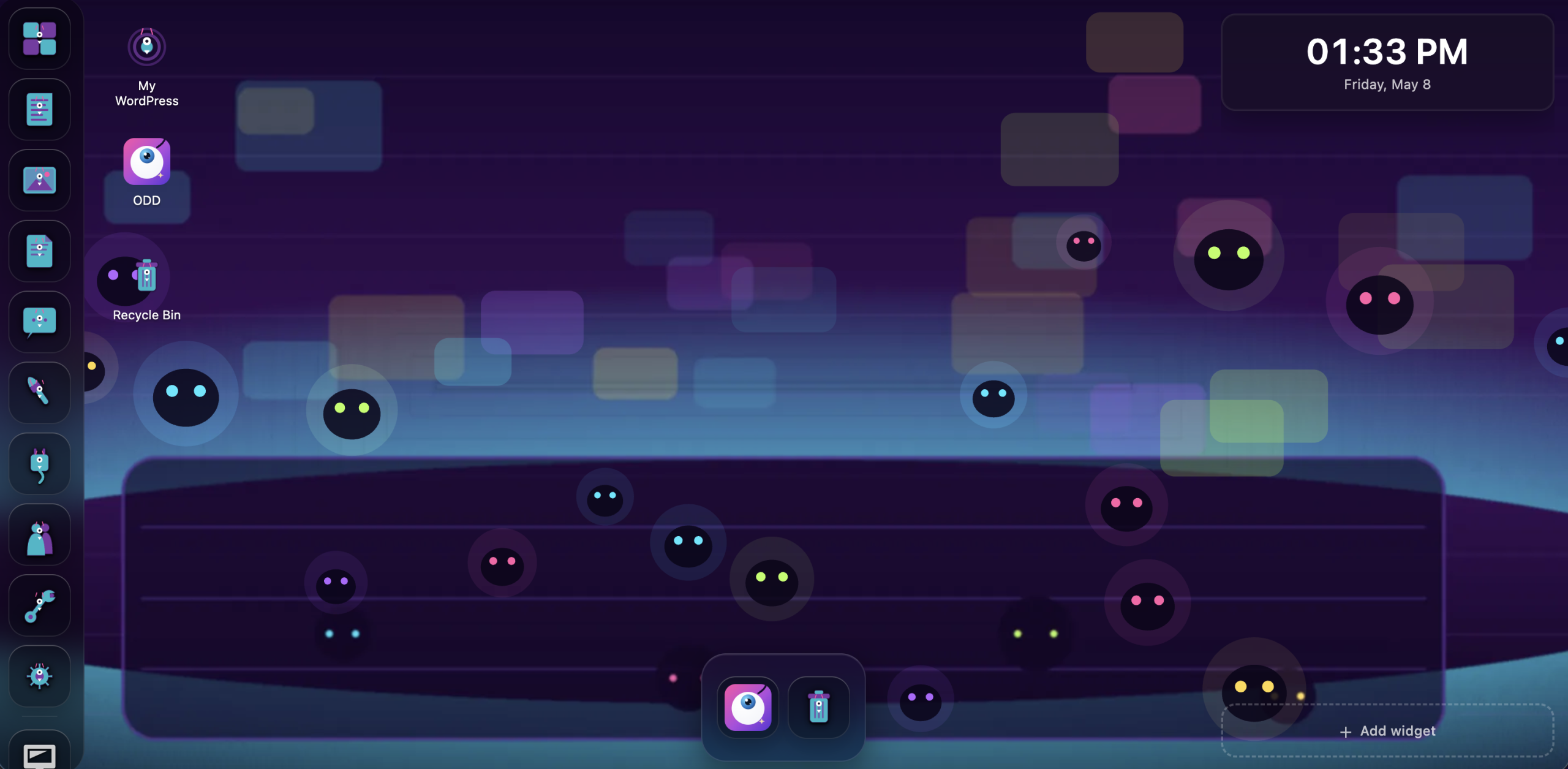
Customization is not a skin. It is how a workspace starts remembering the person using it.
Why customization matters
I want my workspace to fit my day, with familiar tools and a way to return to a project after an interruption.
Recognition beats recall.
Distinct icons, colors, and positions help you find tools faster than reading the same list every time.
Place carries memory.
A stable arrangement becomes a map. Your board lives there, notes live here, the timer is always in the corner.
Mood changes momentum.
A workspace that feels alive can make starting work less sterile, especially when the work itself is hard.
Control over the arrangement.
When people can tune their tools, they stop fighting the interface and start trusting it.

What I’d like people to do with it
There is a lot of software that treats customization as a distraction. ODD takes the opposite bet: the people closest to the work should be allowed to shape the place where the work happens.
A site owner might want a simpler dashboard. An agency could put the tools a client needs in one place. I want my small apps beside the WordPress content I’m working on.
Try it
Prefer to install it yourself? Download ODD from GitHub, or use the Playground to explore wallpapers, apps, icon sets, cursors, and widgets before bringing it to your own site.
Customization is not just decoration. It is recognition, memory, ownership, and momentum. ODD makes WordPress Desktop Mode feel like a workspace you can actually inhabit.

END OF TRANSMISSION · FILE SAVED
Transmission complete.
The workshop keeps humming. Teddy stamps the paper and pretends this was all according to plan.
ONE-TAP PRIVATE SIGNAL
What kind of noise did this make?
One click sends Nick a tiny private light on the console. No account, count, leaderboard, or public performance.

INCOMING TRANSMISSION
What did this signal make you want to build, remove, or argue with?
Send Teddy a note about Your WordPress workspace should feel like yours. It goes straight to Nick’s normal email inbox. No admin screen and no public comment thread.
KEEP THE RECEIVER ON · RSS ↗